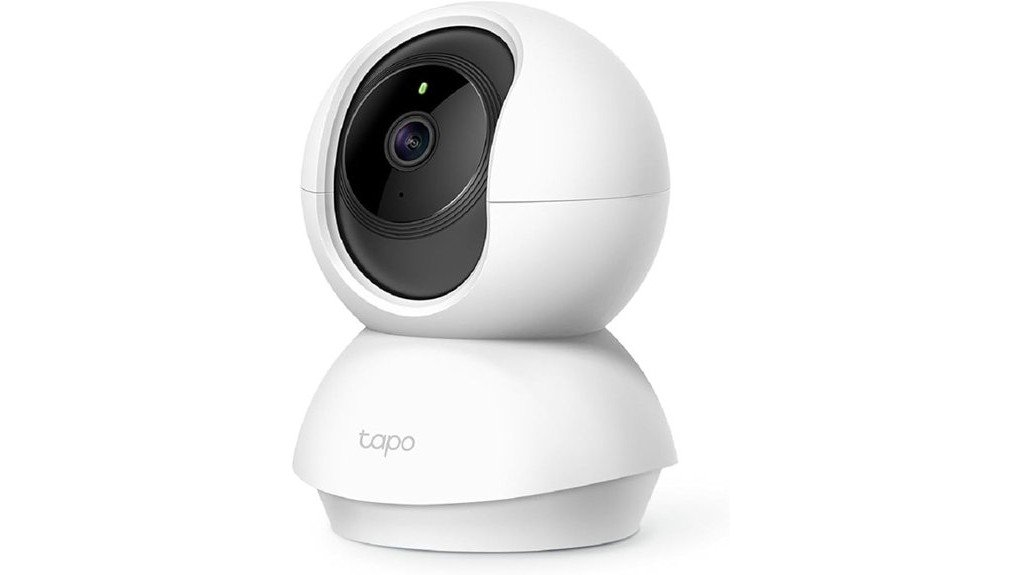
The TP-Link Tapo C200 Camera stands out in the home security market, featuring 1080p HD video resolution and advanced infrared night vision for clear monitoring around the clock. Its pan and tilt capabilities provide coverage of wide areas, while two-way audio facilitates easy communication. Users can select from local or cloud storage options to suit their needs. With compatibility for smart home systems, the Tapo C200 offers flexibility in security management, prompting a closer look at its specific benefits and setup process.
Key Takeaways
- The TP-Link Tapo C200 offers 1080p HD video quality, ensuring clear and detailed surveillance both day and night.
- With infrared night vision, it provides visibility up to 30 feet, enhancing low-light monitoring capabilities.
- The camera features pan and tilt functionality, delivering comprehensive 360° horizontal and 114° vertical coverage for extensive surveillance.
- Two-way audio allows for real-time communication, adding an extra layer of security and interaction.
- Compatible with smart home devices, it integrates seamlessly with Amazon Alexa and Google Assistant for convenient control.
Key Features of the Tapo C200 Camera
The Tapo C200 camera boasts an impressive array of features designed for effective home monitoring.
With its 1080p HD video quality, this camera guarantees that every detail is captured clearly, allowing users to stay informed about their surroundings.
The Tapo C200 camera delivers 1080p HD video, ensuring clear details for users to stay aware of their surroundings.
Additionally, the advanced infrared night vision capability extends up to 30 feet, providing reliable visibility even in low-light conditions.
The pan and tilt functionality offers a 360° horizontal range and a 114° vertical range, ensuring thorough coverage.
These features combine to create a robust monitoring solution, empowering users to maintain a watchful eye over their homes, day or night.
How the Tapo C200 Camera Boosts Home Security
Enhancing home security becomes a seamless task with the Tapo C200 camera, designed to address various safety concerns.
Its advanced night vision capabilities extend up to 30 feet, ensuring clear monitoring even in low-light conditions. The motion detection feature provides instant alerts when movement is detected, allowing homeowners to respond swiftly to potential threats.
With a pan/tilt functionality covering 360° horizontally and 114° vertically, the camera offers extensive surveillance across any area.
These features, combined with two-way audio for communication, empower users to feel liberated and secure within their own homes, fostering a sense of control over their environment.
Choosing the Right Storage for Your Tapo C200?
When selecting the right storage for the Tapo C200 camera, understanding the available options is essential for peak performance.
Users can choose between local storage and cloud storage. Local storage, via Micro SD cards up to 512 GB, allows for direct recording, providing immediate access to footage.
Users can opt for local storage with Micro SD cards up to 512 GB for instant access to recorded footage.
In contrast, cloud storage offers flexibility through a Tapo Care subscription, featuring a 30-day video history for thorough monitoring. This option is ideal for those seeking remote access and enhanced security.
Evaluating personal needs and preferences will guide users in making the best choice to maximize their Tapo C200 experience.
Integrating Your Tapo C200 With Smart Home Devices
Integrating the Tapo C200 with smart home devices creates a seamless monitoring experience, enhancing overall security and convenience.
This camera effortlessly connects with Amazon Alexa and Google Assistant, allowing users to control settings through simple voice commands.
Smart alerts notify users instantly when motion is detected, ensuring peace of mind, especially when away.
The flexibility of mobile app compatibility further empowers users to monitor their homes remotely, fostering a liberated lifestyle.
With 1080p HD video and two-way audio, the Tapo C200 not only provides visual clarity but also enhances communication, making it a valuable addition to any smart home ecosystem.
How to Set Up and Control Your Tapo C200 Camera
Setting up the Tapo C200 camera is a straightforward process that begins with downloading the Tapo app, available for both iOS and Android devices.
After installation, users can easily connect the camera to their Wi-Fi network by following prompts in the app.
Installation tips include positioning the camera for ideal coverage, taking advantage of its 360° pan and 114° tilt capabilities.
For troubleshooting advice, verify the camera is within range of the router and check the app for firmware updates.
With these steps, users gain effective control over their camera, enhancing their home security effortlessly.
Frequently Asked Questions
Can the Tapo C200 Be Used Outdoors?
The Tapo C200 is designed primarily for indoor usage. For outdoor installation, users should consider protective casings and strategic placement to shield it from environmental factors, ensuring peak functionality and longevity while enhancing monitoring capabilities.
What Is the Warranty Coverage for the Tapo C200?
The Tapo C200 offers a two-year warranty coverage, a generous duration considering that many electronics only provide one year. Customer support is readily available, ensuring users feel secure in their investment and empowered in their choices.
Does It Support 5GHZ Wi-Fi Networks?
The device does not support 5GHz compatibility, relying solely on 2.4GHz Wi-Fi networks. This limitation may impact Wi-Fi performance, especially in environments with many devices competing for bandwidth, affecting overall connectivity.
What Is the Maximum Distance for Night Vision?
In the domain of night vision performance, the camera excels, reaching an infrared range of up to 30 feet. This capability empowers users, allowing them to maintain vigilance even in the darkest hours of the night.
How Do I Reset the Tapo C200 Camera?
To reset the Tapo C200 camera, hold the reset button for about 10 seconds. This factory reset resolves camera troubleshooting issues, restoring original settings and liberating the device from previous configurations for fresh setup.
Conclusion
To sum up, the TP-Link Tapo C200 Camera stands out as a robust home security option, combining 1080p HD video, infrared night vision, and pan-and-tilt functionality. Its two-way audio enhances communication, while flexible storage options cater to various user needs. Seamless integration with smart home systems adds convenience, ensuring you can monitor your home effortlessly. For those seeking a balance of technology and practicality, this camera delivers, proving that peace of mind doesn’t have to come with complicated setups.