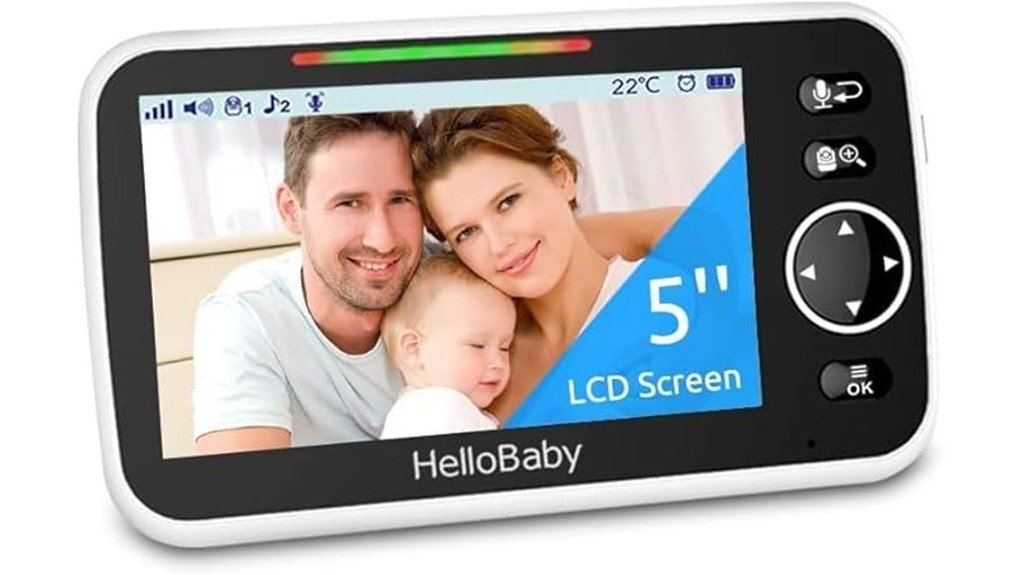
The HelloBaby HB6550 Monitor offers a 5-inch display and supports up to four cameras, making it a versatile choice for parents. With 720p video resolution and 2.4GHz FHSS wireless technology, it guarantees clear visuals without the hassle of wires. The VOX mode enhances battery life, while room temperature monitoring adds safety. Understanding its setup requirements is essential for ideal use, inviting further exploration into both its advantages and potential challenges.
Key Takeaways
- The HelloBaby HB6550 Monitor features a 5-inch screen with 720p video resolution for clear and effective viewing.
- It supports up to four cameras, allowing for extensive coverage of multiple areas.
- VOX mode enhances energy efficiency by activating the monitor only when sound is detected.
- Room temperature monitoring adds an extra layer of safety for your baby’s environment.
- Wireless transmission via 2.4GHz FHSS technology ensures mobility and reduces clutter from wires.
What Makes the HelloBaby HB6550 Monitor Stand Out?
The HelloBaby HB6550 Monitor distinguishes itself through its robust features and reliable performance tailored for parents seeking dependable surveillance for their little ones.
Specifically designed for exclusive camera compatibility with the HB6550 model, this monitor supports up to four cameras, guaranteeing extensive coverage.
Key monitor features include a 5-inch screen, VOX mode for energy efficiency, and a sound level LED indicator for real-time alerts.
Room temperature monitoring enhances safety, while its wireless 2.4GHz FHSS technology ensures secure connectivity.
The monitor operates on a rechargeable battery, making it both practical and versatile for modern parenting needs.
How to Set Up Your HelloBaby HB6550 Monitor
Setting up the HelloBaby HB6550 Monitor is a straightforward process that guarantees top performance and functionality.
Begin by connecting the power supply to the monitor, making sure it is plugged into a suitable outlet. Once powered, initiate camera pairing by pressing the designated button on the camera while keeping only one monitor active.
Connect the power supply to the monitor and press the designated camera pairing button while keeping a single monitor active.
This exclusive pairing allows seamless communication between the monitor and the camera. Users should note that the monitor is compatible solely with the HB6550 model, promoting a reliable connection.
Following these steps assures ideal use of the monitor’s features, enhancing the overall monitoring experience for caregivers.
Troubleshooting Issues With Your Hellobaby HB6550 Monitor
Troubleshooting issues with the HelloBaby HB6550 Monitor can enhance the user experience and assure reliable performance.
Users may encounter pairing problems, particularly when only one monitor is powered on during setup.
Battery issues can arise if the device fails to hold a charge, necessitating a check of the power supply.
Connectivity challenges may occur due to interference or distance from the camera, which operates on 2.4GHz FHSS technology.
Additionally, display concerns, such as flickering or dimness, should prompt users to verify the monitor’s brightness settings are appropriately adjusted.
Addressing these issues fosters a seamless monitoring experience.
How Does the HB6550 Stack Up in Video Quality?
When evaluating the video quality of the HelloBaby HB6550 Monitor, several key specifications come into play. The monitor utilizes a video resolution of 720p, providing clear visuals essential for monitoring.
When assessing the HelloBaby HB6550 Monitor, its 720p resolution ensures clear visuals for effective monitoring.
Key attributes include:
- Capture Format: Supports MPEG-4, ensuring efficient video storage and playback.
- Display Quality: The 5-inch screen offers a compact yet effective viewing experience.
- Connectivity: Wireless transmission via 2.4GHz FHSS technology eliminates the hassle of wires, enhancing mobility.
These specifications collectively contribute to a reliable monitoring experience, offering both clarity and practicality for users seeking effective surveillance solutions.
Key Factors to Consider When Buying the HelloBaby HB6550 Monitor
Considering the video quality of the HelloBaby HB6550 Monitor is only one part of the overall purchasing decision; various factors come into play that can greatly affect user experience and satisfaction.
Potential buyers should first address compatibility concerns, as this monitor pairs exclusively with the HB6550 camera, limiting options for future upgrades.
User experiences highlight the importance of features like VOX mode and room temperature monitoring, which enhance usability.
Additionally, understanding the 5-inch display and wireless technology guarantees informed choices.
With these elements in mind, customers can navigate their options, confirming they select the right monitor for their needs.
Frequently Asked Questions
Can I Use Multiple Monitors With One HB6550 Camera?
Multiple monitors cannot be used with one HB6550 camera due to exclusive monitor setup requirements. Each camera’s placement necessitates a single monitor connection, limiting users’ ability to expand their viewing options effectively.
What Is the Battery Life of the Hellobaby HB6550 Monitor?
The HelloBaby HB6550 monitor offers solid battery performance, providing a reliable power source for extended use. Charging options include a 100V-240V compatible adapter, ensuring freedom from constant power interruptions during monitoring sessions.
Is It Compatible With Other Hellobaby Models?
The HelloBaby HB6550 monitor is incompatible with other HelloBaby models. Its specifications limit functionality to exclusive pairing with the HB6550 camera, emphasizing the importance of understanding product features for informed purchasing decisions and freedom from confusion.
How Do I Reset the Hellobaby HB6550 Monitor?
To reset the monitor, one must embrace the reset process like a phoenix rising from ashes. For effective monitor troubleshooting, press and hold the reset button until the screen flickers, restoring harmony and functionality.
What Is the Warranty Coverage for This Monitor?
Warranty details for the monitor can be found on the product page, offering assurance to users. Customer support is available for inquiries, ensuring assistance is accessible for any concerns regarding warranty coverage or functionality.
Conclusion
In conclusion, the HelloBaby HB6550 Monitor emerges as a versatile option for parents seeking reliable surveillance. With its ability to support up to four cameras and deliver 720p video resolution, it guarantees effective monitoring of multiple areas. The VOX mode enhances energy efficiency, while room temperature alerts promote safety. Considering its user-friendly setup and robust features, the HB6550 stands out as a practical choice, coincidentally aligning with the needs of modern families seeking peace of mind.