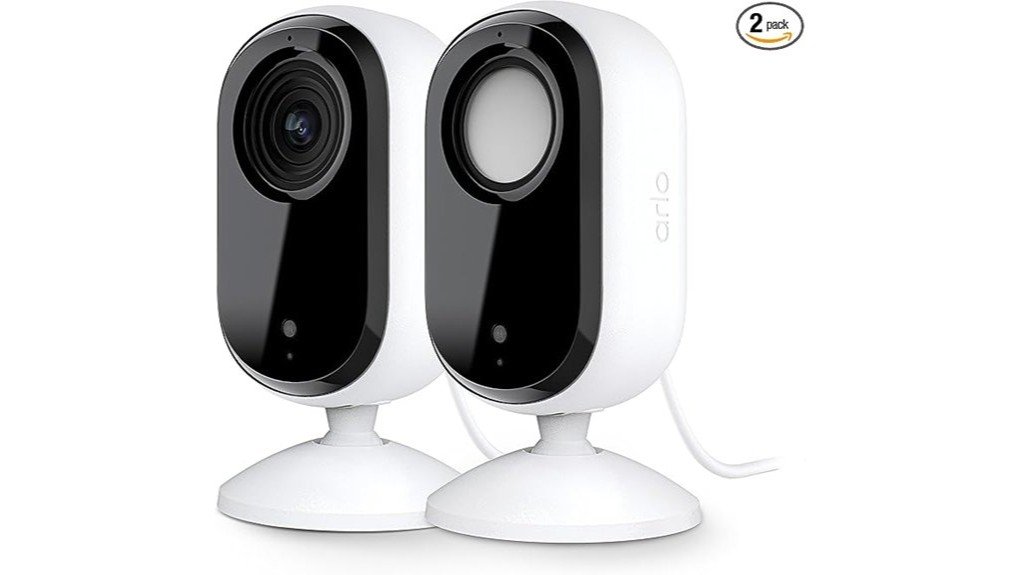
The Arlo Essential Indoor Security Camera boasts 2K video quality, providing clear visuals for thorough monitoring. With advanced detection capabilities, it alerts users to both human and pet movements, enhancing security. Its automated privacy shield allows for discreet monitoring, while robust data protection features, including encryption, guarantee user control. Setup is straightforward via the Arlo app, and compatibility with Amazon Alexa and Google Home allows for seamless integration. This camera’s features make it a compelling choice; however, its performance details warrant further exploration.
Key Takeaways
- The Arlo Essential Indoor Camera delivers 2K video quality, ensuring clear visuals for comprehensive monitoring of your space.
- It features automated privacy shields and customizable settings, enhancing security and data protection for users.
- Advanced detection capabilities include motion alerts for both people and animals, as well as fire and package notifications.
- The setup is user-friendly, requiring only a plug-in and the Arlo app for quick connectivity and management.
- Seamless integration with smart home systems like Amazon Alexa and Google Home enhances overall home security and automation.
Top Features of the Arlo Essential Indoor Security Camera
The Arlo Essential Indoor Security Camera stands out with its impressive array of features designed for effective home monitoring. Its sleek camera design seamlessly integrates into various home environments, enhancing user experience.
Offering 2K video quality, it provides clear visuals, essential for monitoring homes, babies, and pets. The automated privacy shield guarantees personal information remains secure, while real-time notifications keep users informed of any activity.
Additionally, the camera’s wired plug-in power assures reliable functionality, eliminating concerns about battery life. With extensive support and smart home compatibility, this camera empowers users, providing peace of mind in their personal spaces.
Advanced Detection Capabilities of the Arlo Camera
Advanced detection capabilities elevate the Arlo Essential Indoor Security Camera, making it a standout choice for home surveillance. This camera features advanced motion detection, ensuring users receive timely alerts for movement. It excels in low-light conditions with its night vision capability, providing clear visibility even in darkness.
| Feature | Description | Benefit |
|---|---|---|
| Motion Detection | Alerts for person and animal detection | Enhanced security and awareness |
| Night Vision | 130-degree field of view | Extensive monitoring at night |
| Fire Detection | Alerts for smoke and fire | Increased safety for your home |
| Package Alerts | Notifications for package delivery | Convenience in tracking deliveries |
| Vehicle Detection | Recognizes vehicle movement | Awareness of external activity |
How the Privacy Shield Protects Your Data
How effectively does the Arlo Essential Indoor Security Camera safeguard user data? This device incorporates a robust privacy shield, ensuring that personal information remains under user control.
Key features include:
- Data Encryption: All video and audio streams are encrypted to protect against unauthorized access.
- User Control: Users can easily customize privacy settings within the app.
- Automated Privacy Shield: This feature allows users to disable the camera when desired.
- Real-Time Notifications: Alerts are sent directly to users, keeping them informed while maintaining privacy.
Together, these elements create a thorough approach to data protection and user empowerment.
How to Set Up the Arlo Camera
Setting up the Arlo Essential Indoor Security Camera is a straightforward process that enables users to harness the full potential of their home monitoring system.
Begin by plugging in the camera and downloading the Arlo app. Follow the on-screen instructions to create an account and connect the camera via Wi-Fi.
Plug in your camera, download the Arlo app, and follow the prompts to create an account and connect via Wi-Fi.
For ideal placement, consider camera installation tips such as positioning it at eye level and avoiding obstructions.
Should users encounter any troubleshooting issues, the app provides access to support resources, including community forums and 24/7 chat assistance, ensuring a seamless setup experience tailored to individual needs and preferences.
How to Connect Your Arlo Camera to Smart Home Devices
Connecting the Arlo Essential Indoor Security Camera to smart home devices can enhance the overall functionality of a user’s home monitoring system, allowing for seamless integration and automation.
This process fosters device compatibility, making daily routines more efficient.
- Download the Arlo App: Install the app for device management.
- Select Smart Integrations: Navigate to settings and choose your preferred smart devices.
- Link Accounts: Authenticate your Amazon Alexa or Google Home accounts.
- Customize Automations: Set up notifications and actions for different scenarios.
This smart integration elevates home security, providing users with greater control and peace of mind.
Frequently Asked Questions
What Is the Warranty Period for the Arlo Essential Indoor Security Camera?
The Arlo Essential Indoor Security Camera offers a limited warranty coverage of one year, reflecting the manufacturer’s confidence in product durability. Users can trust this commitment to quality while enhancing their home security experience.
Can the Cameras Be Used Outdoors?
While designed for indoor versatility, these cameras can be used outdoors with appropriate protection. Homeowners seeking liberation from common security concerns may find their outdoor performance satisfactory, ensuring peace of mind in various settings.
How Do I Reset the Camera to Factory Settings?
To reset the camera to factory settings, press and hold the reset button for ten seconds. These camera troubleshooting tips guarantee a fresh start, allowing users to regain control and optimize their security experience.
Is There a Subscription Fee for Cloud Storage?
Yes, there are subscription options for cloud storage, offering enhanced features and security benefits. These subscriptions allow users to access advanced storage capabilities, ensuring thorough monitoring and peace of mind for their homes.
What Mobile Devices Are Compatible With the Arlo App?
The Arlo app is compatible with various mobile devices, including smartphones and tablets running iOS and Android. Its app features streamline device setup, empowering users to monitor their homes effortlessly and maintain control over their security.
Conclusion
In summary, the Arlo Essential Indoor Security Camera stands as a formidable guardian, delivering sharp 2K video quality and advanced detection features that guarantee you never miss a moment. Its automated privacy shield acts like a vigilant sentinel, safeguarding your data while easily integrating with smart home systems. The straightforward setup process and customizable settings empower users, making this camera an essential tool for thorough indoor monitoring. With these capabilities, peace of mind is just a click away.